

Bring Your Trading History With You.
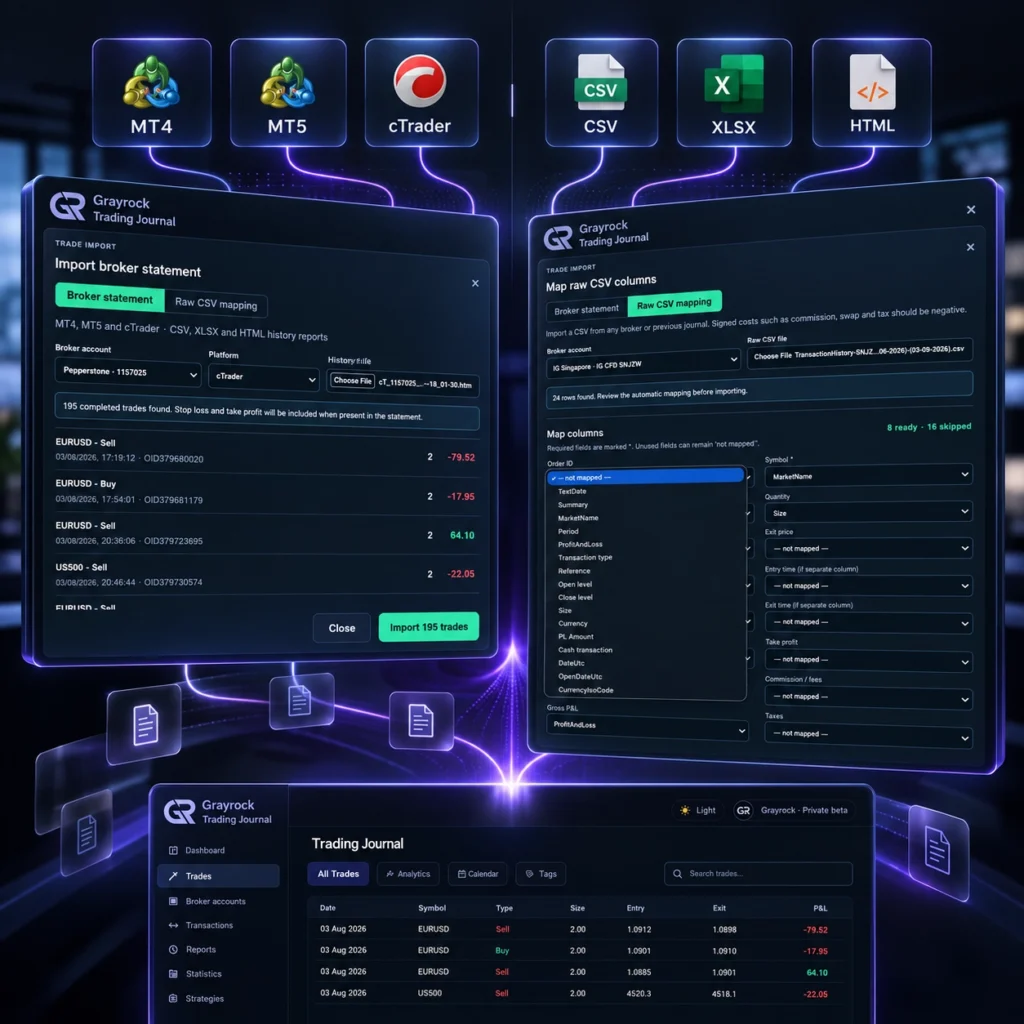
Grayrock Trading Journal is designed to work with trading history from different platforms and file structures. Import recognized MT4, MT5 and cTrader history, use supported CSV, XLSX or HTML files, or map compatible custom data into Grayrock’s structured journal.
Choose the Import Method That Fits Your Trading History.
From recognized platform exports to flexible custom files and automatic MetaTrader synchronization, Grayrock provides different ways to keep your trading history together.
Recognized Platform Import
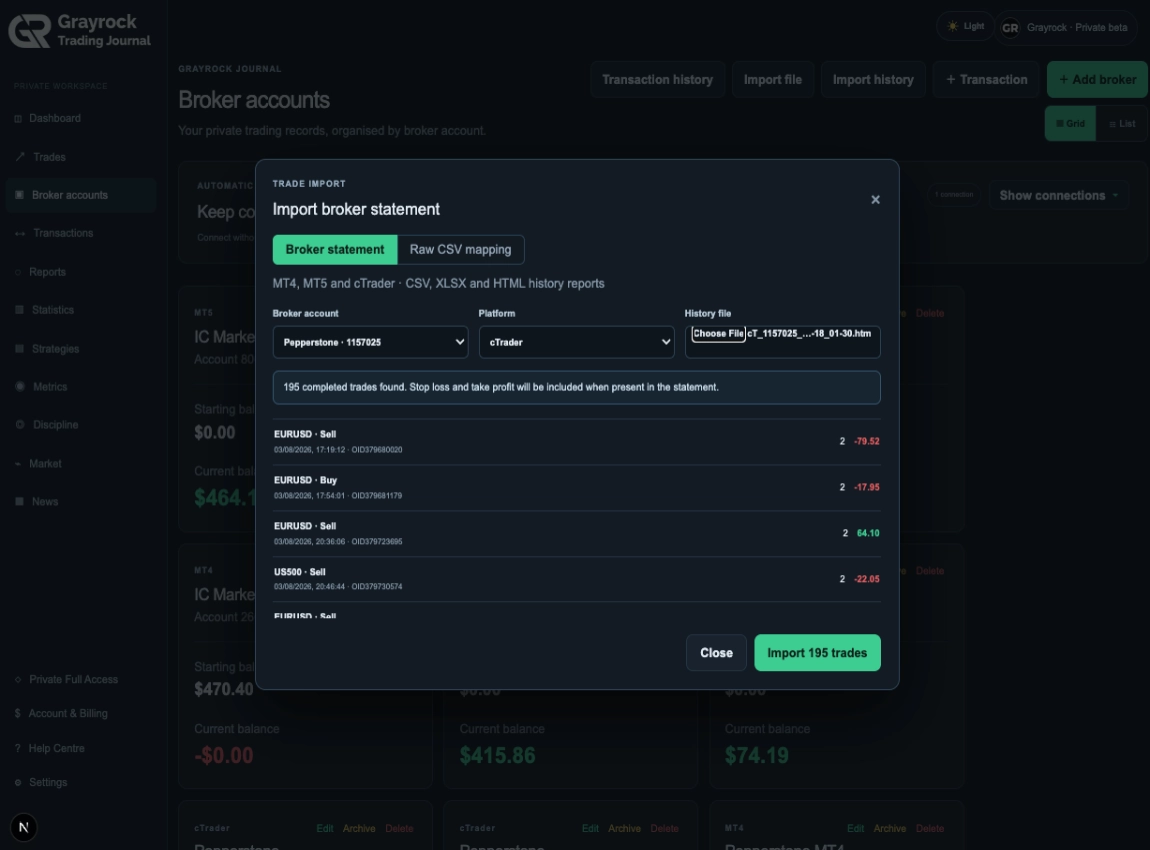
Import supported historical exports from MetaTrader 4, MetaTrader 5 and cTrader with Grayrock recognizing their expected trading-data structures.
Flexible File Import
Bring compatible structured trading-history files into Grayrock and review the available data before adding it to your journal.
Automatic MT4 & MT5 Sync
Connect MetaTrader through Grayrock Sync and automatically synchronize completed trades while MetaTrader and the connector are running.
Familiar Trading History. Less Setup.
Grayrock provides recognized import workflows for supported trading-history exports from commonly used trading platforms.
MetaTrader 4
Import supported MT4 historical trade data into your Grayrock Trading Journal for structured review and analysis.
MetaTrader 5
Bring supported MT5 trading history into Grayrock while preserving the information available in the exported records.
cTrader
Import supported cTrader trading history into Grayrock and organize it alongside your journal, strategies and performance analysis.
Other Platforms
Import compatible trading history from other brokers and trading platforms using supported CSV or XLSX files and Grayrock’s flexible import workflow.
Platform import refers to historical data import. Automatic synchronization is currently provided separately through Grayrock Sync for MT4 and MT5.
Different Files. One Structured Journal.
Trading platforms and brokers don’t all export data the same way. Grayrock supports multiple import formats so your existing history does not need to begin in one proprietary Grayrock template.
Your File Doesn't Have to Match Our Column Names.
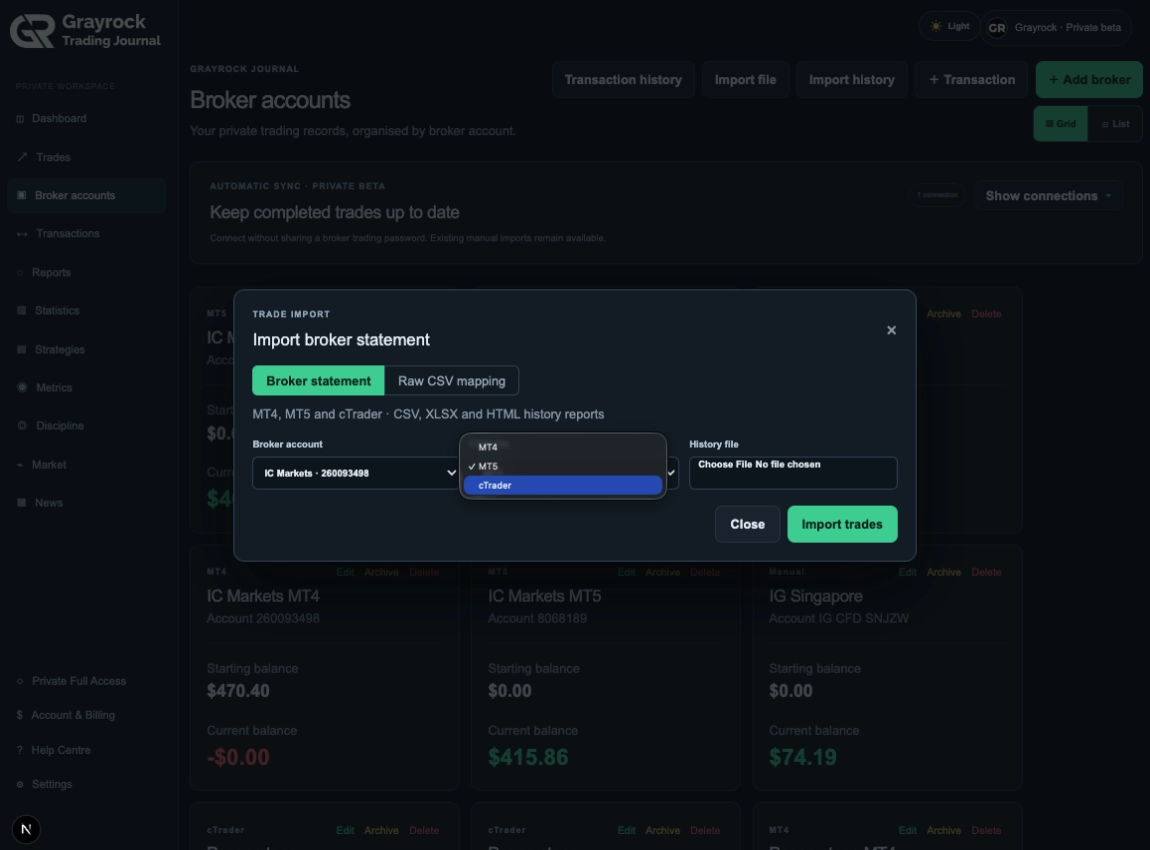
Different brokers and platforms can describe the same trading information in different ways. Raw Data Mapping gives advanced users greater control over how compatible source fields correspond to Grayrock Trading Journal fields.
- Date and time
- Symbol / instrument
- Buy or sell direction
- Quantity / lot size
- Entry and exit information
- Profit and loss
- Commission and fees
- Strategy or setup fields where available
- Notes and compatible custom information Callout
Spend Less Time Fixing Dates Before You Import.
Trading exports can represent dates and times differently depending on the platform, broker and source file. Grayrock’s import workflow is designed to recognize and normalize supported date information as part of the import process.
Recognize
Normalize
Review
Know What You're Bringing Into Your Journal.
Importing years of trading history should not be a blind operation. Grayrock’s import workflow is designed to process and validate supported data before it becomes part of your Trading Journal.
Recognized Records
Validation Checks
Duplicate Protection
Structured Results
Don't Start Your Journal From Today.
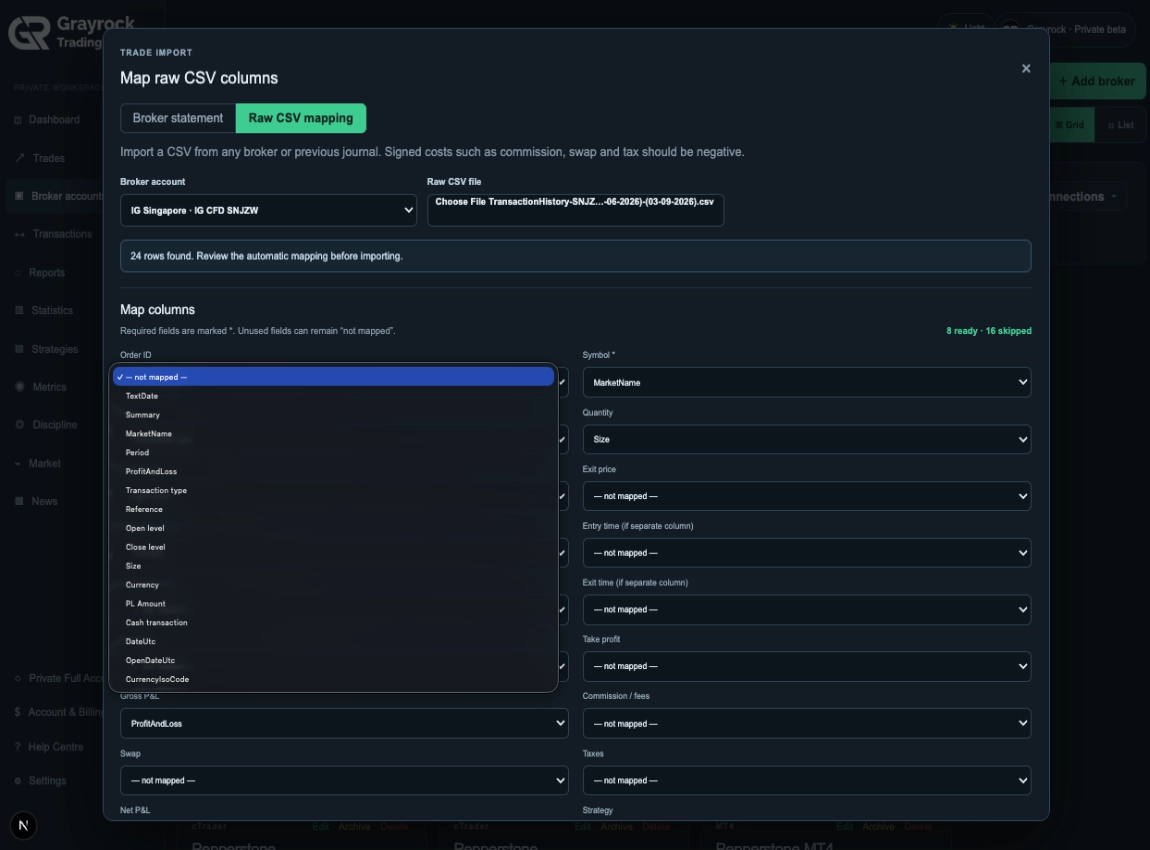
Your past trades contain the patterns, decisions, mistakes and performance history that make a trading journal valuable. Supported Grayrock plans allow extensive historical trading data to become part of your review process instead of forcing you to start again with an empty journal.
- Your trading history should move with you.
Importing the Trades Is Only the Beginning.
Once your trading history is structured inside Grayrock, it becomes part of the same review workflow as trades entered directly into your journal.
1. Import
Bring compatible trading history into Grayrock.
2. Organise
Add or refine strategies, setups, tags, notes and other review context.
3. Analyse
Use statistics, metrics, reports and performance views to understand the history.
4. Improve
Review patterns, discipline, mistakes and trading behaviour to support a more structured trading process.
- Import
- Organise
- Analyse
- Review
Historical Import or Automatic Sync?
Both workflows bring completed trading history into Grayrock, but they solve different needs
File Import
Best for existing trading history
- Import historical records
- MT4, MT5 and cTrader
- CSV, XLSX and HTML
- Raw Data Mapping where available
- Useful when migrating from another journal or platform
Grayrock Sync
Best for ongoing MT4/MT5 journaling
- Automatic completed-trade synchronization
- MT4 and MT5
- Secure one-time pairing
- No broker password requested
- Read-only by design
- Historical catch-up
Frequently Asked Questions
Find answers about trading-platform exports, supported file formats, historical imports, data mapping and moving existing trading history into Grayrock.
Does my broker need to be on a supported broker list?
No fixed broker directory is required for flexible file import. If your broker or trading platform provides a compatible structured export, Grayrock may be able to import the trading history using a supported file workflow or field mapping.
Which trading platforms have recognized imports?
Grayrock Trading Journal provides recognized historical-import workflows for supported exports from MT4, MT5 and cTrader.
Which file formats can I import?
Grayrock supports compatible CSV, XLSX and HTML trading-history files, together with Raw Data Mapping for supported custom structures.
Can I import trades from a broker that isn't specifically listed by Grayrock?
Potentially, yes. If the broker provides compatible structured trading-history data in a supported format, the file can be processed through Grayrock's import workflow. Compatibility depends on the information contained in the export, not simply the broker's name.
Do I have to rearrange my CSV into a Grayrock template?
Not necessarily. Supported import and mapping tools are designed to accommodate different data structures. Raw Data Mapping provides additional flexibility for compatible custom files.
Can Grayrock handle different date formats?
Grayrock's import workflow includes supported date handling to reduce the amount of manual conversion required before importing trading history.
Can I import years of trading history?
Yes, subject to the limits of your selected Grayrock Trading Journal plan. Your current Plus and Pro architecture provides unlimited stored trades, while Free is limited to 250.
Will imported trades work with Grayrock's analytics?
Once successfully imported and structured as journal records, the trading history can be used by the applicable Grayrock statistics, strategies, metrics, reports and review functionality.
Is file import the same as Grayrock Sync?
No. File import is primarily used to bring exported historical trading data into Grayrock. Grayrock Sync provides ongoing automatic completed-trade synchronization for supported MT4 and MT5 accounts.
Does Grayrock need my broker password to import a file?
No. File import works from the trading-history file you provide. Grayrock Sync for MT4/MT5 also uses its own password-free pairing design rather than asking for your broker master or investor password.
Your Trading History Belongs in Your Review Process.
Import your existing trading records, organize them in Grayrock and turn past trading activity into a structured history you can actually review.
Desktop MetaTrader and the Grayrock connector must run for synchronization to occur.
 Bahasa Indonesia
 English
 简体中文
 繁體中文
 日本語
 한국어
 Tiếng Việt
 Español
 Português do Brasil
 Nederlands